


© 2010 - 2026 SouthBit Data Recovery, Studio 109, Palmyra Junction, 9 Palmyra Road, Claremont, 7708, 021 205 1119
What Is Data Recovery? A Comprehensive Guide to Recovering Lost Data
Data loss can happen in an instant—a hard drive fails, a file gets accidentally deleted, or ransomware locks you out of critical documents. When disaster strikes, data recovery is often the only path to retrieving irreplaceable information. But what exactly is data recovery, how does it work, and when should you attempt it yourself versus calling in the professionals?
This guide explains everything you need to know about data recovery, from understanding what it means to recognizing when your data is at risk. If you are currently experiencing a drive failure and need immediate assistance, SouthBit provides professional data recovery services across South Africa.

Understanding Data Recovery: The Basics
Data recovery is the process of retrieving inaccessible, lost, corrupted, damaged, or formatted data from storage devices when it cannot be accessed through normal means. This includes recovering data from hard drives, solid-state drives (SSDs), USB flash drives, memory cards, smartphones, RAID arrays, and other digital storage media.
The fundamental principle behind data recovery is that when you delete a file or experience a system failure, the actual data often remains physically present on the storage device. What gets removed is typically just the reference pointer that tells your operating system where to find that data. Until new data overwrites those sectors, recovery is often possible—though the window of opportunity may be limited.
Data recovery specialists use a combination of software tools, hardware techniques, and forensic methods to reconstruct, extract, and restore this information. The complexity of the recovery process depends on the type of failure, the storage medium involved, and how much time has passed since the data loss occurred.
Common Causes of Data Loss
Understanding how data loss happens can help you recognize when you might need recovery services. Data loss falls into several distinct categories:
Physical Damage and Hardware Failure
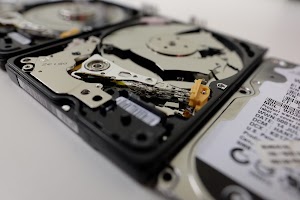
Storage devices are mechanical or electronic components that can fail. Traditional hard disk drives (HDDs) contain spinning platters and moving read/write heads that can suffer mechanical breakdowns. Common physical failures include motor seizure, head crashes where the read/write mechanism contacts the disk surface, bearing failures, and circuit board damage. Solid-state drives, while having no moving parts, can fail due to controller chip malfunctions, NAND flash memory degradation, or power surge damage.
External factors like drops, impacts, water damage, fire, or electrical surges can cause immediate physical damage requiring specialized recovery techniques.
Logical Errors and Software Issues
Not all data loss involves physical damage. Logical failures occur at the software or file system level and include accidental deletion, file system corruption, partition table damage, operating system crashes, and failed software updates. Improper shutdowns, power outages during write operations, and software bugs can corrupt file structures without physically damaging the storage medium.
Human Error
Perhaps the most common cause of data loss is simple human mistake—accidentally deleting important files, formatting the wrong drive, or overwriting data during file transfers. While these scenarios can be stressful, they often have the highest recovery success rates when addressed quickly.
Malicious Software and Cyberattacks
Ransomware encrypts your files and demands payment for the decryption key. Viruses and malware can corrupt or delete data. While some ransomware attacks may be irreversible without backups, certain variants have known decryption tools, and data recovery specialists can sometimes help salvage unencrypted portions of affected systems.
Natural Disasters and Environmental Factors
Floods, fires, extreme temperatures, and other environmental catastrophes can damage storage devices. Even devices exposed to water or moderate heat may be recoverable through specialized cleaning and repair processes.

The Data Recovery Process: How It Works
Professional data recovery follows a systematic approach designed to maximize the chances of successful retrieval while minimizing the risk of further data loss.
Initial Assessment and Diagnosis
The process begins with a thorough evaluation of the storage device to determine the type and extent of damage. Technicians examine the device for physical damage, listen for abnormal sounds in HDDs, and run diagnostic tests to assess the drive’s health. This assessment helps determine whether the issue is logical (software-based) or physical (hardware-based), which dictates the recovery approach.
Logical Recovery Methods
For logical failures where the hardware remains functional, recovery specialists use sophisticated software tools to scan the storage device at a low level. These programs can identify deleted file remnants, reconstruct damaged file systems, repair corrupted partition tables, and extract data from formatted drives. The software reads the raw data sectors and attempts to piece together files based on file signatures, headers, and known data patterns.
Physical Recovery Techniques
When hardware has failed, physical intervention becomes necessary. This work must occur in a certified cleanroom environment—a controlled space with filtered air that prevents dust particles and contaminants from causing further damage to sensitive drive components.
Physical recovery may involve replacing failed circuit boards, swapping damaged read/write heads, repairing or replacing motors, addressing platter damage, or extracting chips from failed solid-state drives for direct reading. These procedures require specialized equipment like disk imaging tools, microscopes, soldering stations, and proprietary firmware repair software.
Data Extraction and Verification
Once the device is stabilized—either through logical repair or physical intervention—technicians create a sector-by-sector image of the drive. This image serves as a working copy, protecting the original device from further damage during the recovery attempt. Specialists then extract files from this image, reconstruct folder structures, and verify file integrity to ensure recovered data is usable.
Delivery and Security
Recovered data is typically delivered on a new storage device or through secure transfer methods. Reputable recovery services maintain strict confidentiality protocols and can provide secure data destruction of the original failed device if requested.

DIY Data Recovery vs. Professional Services: Making the Right Choice
When faced with data loss, you’ll need to decide whether to attempt recovery yourself or seek professional help. This decision can significantly affect your chances of success.
When DIY recovery makes sense
Self-recovery is only appropriate for straightforward logical failures on a physically healthy drive — recently deleted files that haven’t been overwritten, or a drive accidentally formatted but not yet written to. Consumer recovery software can sometimes help in these cases. The critical rule: never install or run recovery software on the affected drive itself. Use a separate machine, and stop using the drive immediately.
When to call a professional lab
Professional intervention is necessary when your drive makes any unusual sounds (clicking, grinding, beeping), is not recognised by your computer, or has suffered physical damage from a drop, power surge, or water exposure. Previous failed recovery attempts also call for a professional — every additional read cycle on a failing drive risks permanent loss.
If the data is irreplaceable — business records, family photos, legal documents — the risk of a failed DIY attempt far outweighs the cost of a professional assessment. A reputable lab will assess your drive for free and give you a written quote before any work begins.
What does professional data recovery cost in South Africa?
Data recovery in South Africa typically costs between R3,200 and R9,400+ depending on the failure type. Logical recoveries (deleted files, accidentally formatted drives) start from R3,200. Physical recoveries requiring cleanroom work — head replacements, PCB repairs, firmware reconstruction — range from R5,500 to R9,400+. SSD and flash recovery starts from R2,800. View SouthBit’s full pricing →
Most reputable labs, including SouthBit, provide a free written assessment before any work begins. No recovery means no charge.
Data recovery is a specialised field that combines technical expertise, professional tooling, and a disciplined approach to handling fragile, failing hardware. The principles are consistent regardless of device: stop using it, get a professional assessment, and understand what is possible before committing to any costs.
SouthBit Data Recovery has been working exclusively in this field since 2010. Operated by Nick Parsons — BCom IS Honours in Computer Forensics, UCT — the lab uses a HEPA-filtered cleanroom and professional-grade hardware including the PC-3000 UDMA, DeepSpar Disk Imager, and HddSurgery tools. Rated 4.9★ across 700+ verified Google reviews, SouthBit is consistently the highest-rated data recovery lab in South Africa.
If you are dealing with a failed drive, the next step is simple:
About the author: Nick Parsons
Nick Parsons is the founder of SouthBit Data Recovery and has been recovering data from failed hard drives and SSDs since 2010. He holds a BCom IS Honours degree in Computer Forensics from the University of Cape Town and works with professional-grade tools including the PC-3000 UDMA, DeepSpar Disk Imager, and HddSurgery equipment. SouthBit has a 4.9★ rating across 700+ verified Google reviews and serves clients nationwide from its dedicated lab in Claremont, Cape Town.
