


© 2010 - 2026 SouthBit Data Recovery, Studio 109, Palmyra Junction, 9 Palmyra Road, Claremont, 7708, 021 205 1119
How hard drives store your data and the basics for data recovery
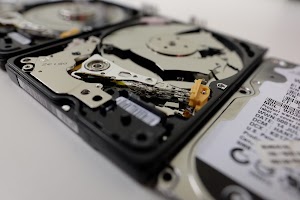
A mechanical hard disk drive stores information using spinning platters coated with a magnetic material and tiny read/write heads that float just nanometres above the surface. When the drive writes a file, the heads change the magnetic orientation on microscopic regions of the platter; when it reads, they detect that orientation and translate it back into bits. The drive’s firmware, actuator and spindle motor work together to position the heads and maintain precise rotational speed. Because this is a physical process, hard drives are susceptible to mechanical wear, impact damage and contamination in ways flash memory is not. Understanding these mechanical elements is central to effective data recovery. When a failure occurs, technicians look at which component failed — head, motor, PCB or firmware — because the recovery method depends on where and how the data is rendered inaccessible. In short, data recovery from hard drives begins with knowing how data lives on the platters and which systems are responsible for reading it.

Common hard drive failure modes that require data recovery
Hard drives fail in a handful of predictable ways that drive people to seek professional data recovery. Logical failures happen when the file system or partition table is corrupted by improper shutdowns, software errors or accidental formatting; the magnetic data is often still present but unreachable. Mechanical failures include head crashes where the read/write assembly contacts the platter, a seized spindle that prevents rotation, or degraded bearings and motors. Electronic failures involve damaged printed circuit boards or components fried by voltage spikes. Firmware or service-area corruption is another category where the drive’s internal microcode or lookup tables become unreadable, leaving data inaccessible even though the platters are intact. Environmental damage from liquid, fire or dust can combine with other faults and make recovery more difficult. Knowing the failure mode helps determine whether the appropriate next step is a software-based recovery, a careful imaging procedure, or cleanroom hardware repair.
Imaging and the golden rule of professional data recovery
The fundamental rule in professional data recovery is to never work directly on the original media when attempting repairs: create an image first. Imaging is a bit-for-bit copy of the drive that preserves as much recoverable data as possible while protecting the original from further harm. Specialist hardware performs controlled reads, retries on marginal sectors and smart skipping of unreadable areas, producing a clone and an error log for analysis. For logical failures, technicians work on those images to rebuild partition tables, reconstruct file system metadata and perform file carving to locate lost files by signature. Even when hardware repairs are needed, technicians usually image the platters after stabilising the drive, then perform further repairs on the donor or replica. This safe, methodical approach increases the likelihood of successful recovery and reduces the risk of making an unrecoverable situation worse.

Cleanroom repairs and component-level data recovery techniques
When mechanical or electronic faults prevent imaging, labs escalate to component-level repairs in controlled environments. Cleanrooms prevent microscopic dust from contaminating platters during head swaps or platter transfers. Technicians may replace a printed circuit board with a compatible donor, migrate unique calibration data, or transplant the head stack to restore readable heads. In extreme scenarios where surface damage prevents in-situ reading, engineers transfer platters to an identical donor chassis to access the magnetic data. Firmware recovery specialists reverse-engineer service areas and restore mapping tables that the drive uses to locate data. These procedures are delicate and high-risk, requiring experience, a donor-part library and calibrated equipment. Successful hardware-level recovery always prioritises creating a stable read path to the platters before any logical reconstruction is attempted on images.
How to reduce the need for emergency data recovery and choose a lab
Prevention remains the most effective and affordable form of data recovery: regular backups, monitoring SMART attributes, and replacing drives that show early signs of failure drastically reduce emergency recovery needs. Use versioned backups and off-site copies, avoid exposing drives to extreme temperatures or physical shock, and do not open HDD enclosures outside a cleanroom. If recovery is necessary, choose a reputable lab that commits to imaging first, provides a clear diagnostic, explains likely success rates, and uses cleanroom facilities for hardware work. Ask for a written quote, a detailed report of recovered files and secure handling for sensitive data. Acting quickly, stopping further power cycles on a noisy drive and relying on professionals will give the best chance to recover critical files while minimising cost and risk.
Give us a call at Southbit Data Recovery in Cape Town, we can help you with hard drive data recovery.
