


© 2010 - 2026 SouthBit Data Recovery, Studio 109, Palmyra Junction, 9 Palmyra Road, Claremont, 7708, 021 205 1119
Data recovery: Complete guide to hard drive & SSD recovery (step-by-step)
Losing files is stressful. Whether it’s family photos, financial records or critical business backups, fast and correct data recovery is essential. This guide explains what hard drives and SSDs are, why they fail, and exactly how professional data recovery works — in plain language and structured for easy reading. Use this as a checklist before you contact a recovery lab or attempt any DIY steps.

What is data recovery and why it matters
Data recovery means retrieving accessible information from storage devices that are damaged, corrupted or otherwise unavailable. The most common media are mechanical hard disk drives (HDDs) and solid-state drives (SSDs). Both store the same digital files — photos, documents, databases — but the technologies are different, so recovery techniques differ too. When business continuity or personal memories are at stake, professional data recovery balances speed, cost and the chance of success.
HDD vs SSD — how they store data and how that affects recovery
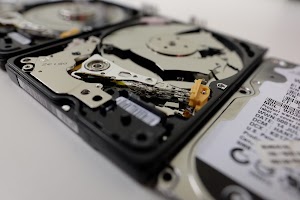
HDD (Hard Disk Drive)
Stores information magnetically on spinning platters.
Uses tiny read/write heads on an actuator arm and a spindle motor.
Failure modes: head crashes, seized motors, PCB/electronic failure, firmware corruption, contamination.
Recovery often requires cleanroom work (head swaps, platter transfers) and donor parts.
SSD (Solid-State Drive)
Stores data as electrical charges in NAND flash cells managed by a controller and firmware.
No moving parts, but recovery is complicated by wear-leveling, TRIM and proprietary controller mappings.
Failure modes: controller failure, firmware corruption, NAND wear, power/PCB damage.
Recovery often needs controller-level tools, vendor assistance, or specialized chip-off techniques.
Because data is mapped and managed differently on HDDs and SSDs, an accurate diagnosis is the first step in successful data recovery.

Two main categories of failures
-
Logical failures (software-level)
-
Examples: accidental deletion, formatting, filesystem corruption, partition table damage.
-
The physical media is intact; data often remains present but inaccessible.
-
Recovery methods: imaging, file system repair, metadata reconstruction, file carving.
-
-
Physical failures (hardware/firmware-level)
-
Examples: clicking heads, drive not spinning, burned PCB, corrupted service area/firmware.
-
These require controlled hardware repair or firmware restoration; DIY attempts can make recovery impossible.
-
Recovery methods: cleanroom component swaps, PCB repair, head transplant, firmware engineering, platter transfer (rare).
-
A professional lab follows a repeatable process to maximise recovered files and minimise risk:
-
Intake & triage — history-taking, symptom logging, and priority file selection.
-
Visual inspection — look for burns, liquid damage, or obvious PCB issues.
-
Non-invasive diagnostics — read SMART logs and try safe, read-only access using write-protected adapters.
-
Imaging (golden rule) — create bit-for-bit images of the media before any repair. Imaging uses controlled retries and logs errors; for SSDs imaging may require special techniques to preserve data.
-
Logical recovery — repair partition tables, reconstruct MFTs/inodes, and perform file carving for severely damaged metadata.
-
Component & firmware repairs — cleanroom head swaps, PCB fixes, firmware reprogramming, or donor-part transfers when needed.
-
Validation — verify recovered files by opening documents and checking checksums.
-
Secure delivery — return data on new media, encrypted if requested, with a recovery report and recommendations.
A professional lab will provide an initial, no-obligation assessment and quote before performing chargeable work.
Logical recoveries are usually the quickest: when the issue is software-level—deleted files, corrupted partitions or filesystem errors—labs often complete the work within a few hours to one or two days. Physical recoveries, which require cleanroom work, donor parts or firmware engineering, take longer and commonly span several days to two weeks or more depending on the complexity of the fault, parts availability and the lab’s current workload.
Costs vary widely because they reflect the work involved: simple logical restores carry a lower price, while procedures that need cleanroom time, component swaps, firmware reprogramming or rare donor parts increase the bill. Urgency also affects cost—expedited turnaround raises the price—and the volume and complexity of the data being recovered can add time and labour. No reputable lab guarantees complete recovery in every case; instead they provide a realistic assessment and a no-obligation quote after inspection so you understand likely costs, risks and expected turnaround before any chargeable work begins.
How data recovery labs recover SSDs differently from HDDs
When data recovery labs approach SSDs, they face a very different set of challenges compared to traditional hard drives. While HDD recovery often involves repairing or replacing mechanical parts like heads, motors or platters before imaging, SSDs have no moving components. The obstacles come from controller chips, NAND flash memory, and complex firmware. Many SSDs employ wear-leveling and encryption technologies that scatter and mask data across memory cells, meaning recovery requires not just hardware fixes but also deep knowledge of firmware behavior and proprietary algorithms.
Specialized tools are used to bypass failed controllers, extract raw NAND dumps, and then virtually reconstruct the data using vendor-specific translation methods. This process is far more time-consuming than traditional HDD recovery and requires cutting-edge hardware and software available only to advanced labs. The outcome is highly dependent on the condition of the NAND chips and whether encryption keys remain intact.
Choosing a professional lab becomes essential when dealing with SSD failures. DIY attempts or unqualified services can easily damage delicate memory chips beyond recovery. A reputable provider will have cleanroom facilities, specialized chip-off equipment, and firmware expertise to maximize the chances of success. They also provide clear diagnostics, transparent pricing, and realistic expectations, especially since SSD recoveries are typically more complex and expensive than HDD cases.
For both SSD and HDD recovery, the key is acting quickly. Continued use of a failing drive can worsen corruption or overwrite recoverable sectors. Powering the device off at the first signs of trouble and contacting a professional recovery service immediately gives the best chance of retrieving critical files. Whether it’s a business facing downtime or an individual protecting personal data, expert intervention offers the most reliable path to successful recovery.
