


© 2010 - 2026 SouthBit Data Recovery, Studio 109, Palmyra Junction, 9 Palmyra Road, Claremont, 7708, 021 205 1119
Data recovery from hard drives
Whether it’s family photos, financial records or critical business backups, losing data is stressful. At Southbit we specialise in data recovery, but the process is technical and varies depending on the type of drive and the way it failed. This article explains in clear language what hard drives are, why they fail, and the methods data recovery technicians use to recover files.
What a hard drive is and how it stores data
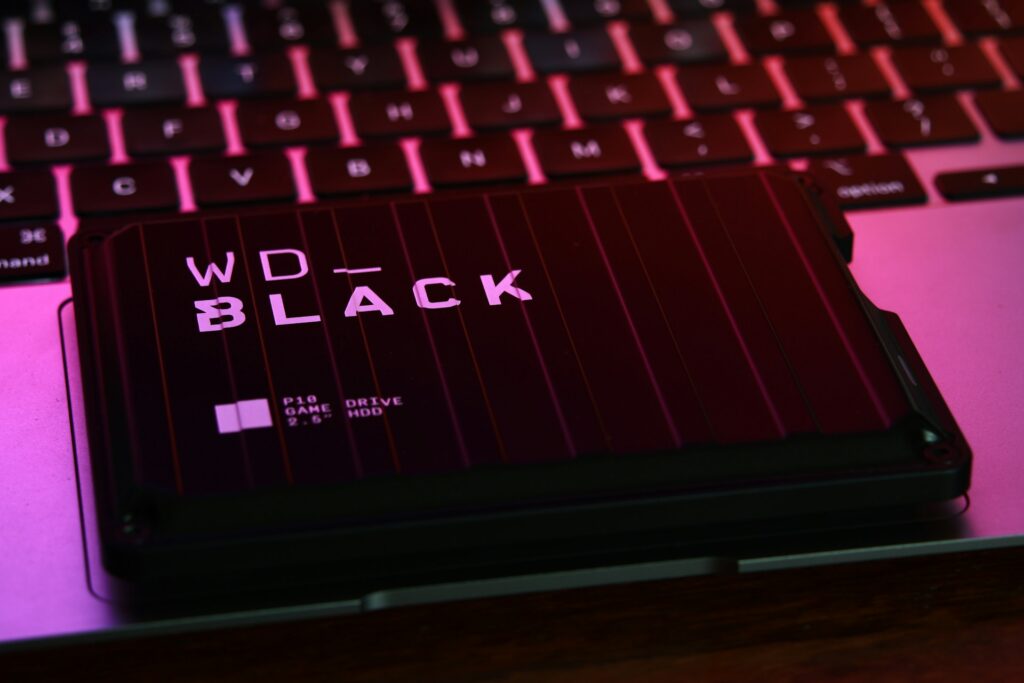
When people say “hard drive” they are usually referring to a mechanical hard disk drive, or HDD, which contains spinning platters and tiny read/write heads that float mere nanometres above the platter surface to read and write magnetically. There is also the solid-state drive, or SSD, which stores information on NAND flash memory cells and has no moving parts. Both devices store the same digital information, but they do so in fundamentally different ways, and those differences change how and why they fail and how technicians approach recovery.
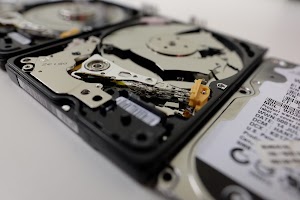
Inside an HDD you will find several highly polished circular platters coated with a magnetic material, a spindle motor that spins the platters, an actuator arm that positions the read/write heads, drive firmware that orchestrates operations, and a printed circuit board that supplies power and handles data interfaces. Data is written as magnetic patterns on the platters and read back by the heads. An SSD, by contrast, stores data as electrical charges in tiny transistors arranged in memory cells, and it relies on a controller and firmware to manage wear-leveling, garbage collection and the mapping of logical block addresses to physical memory locations.
Because HDDs and SSDs use different technologies, their failure modes and the recovery methods used for each are different, which is why the correct recovery approach depends on whether you have a mechanical drive or a flash-based drive.
Hard drives appear in almost every computing environment. They serve as personal storage for photos, videos and documents; they act as the internal system drive for laptops and desktops where the operating system and applications live; they are used as external drives for backups and portable storage; and in businesses they are deployed in network-attached storage devices and enterprise arrays to hold servers, databases and virtual machines. Because drives hold both sentimental and mission-critical information, the urgency and method of recovery will vary from a single-file restore to a time-sensitive business recovery.
What happens when a hard drive fails and why it fails
Drive failures generally fall into two broad categories: logical failures, which are software-level problems that leave the hardware intact, and physical failures, which involve mechanical, electronic or firmware faults.
Logical failures include file system corruption caused by improper shutdowns or power loss, accidental deletion or formatting of partitions, and file system errors where the operating system can no longer interpret the metadata that describes files and folders. In these cases the magnetic or flash data still exists on the medium, but the pathways the operating system uses to find it are damaged or missing.
Physical failures involve broken hardware components or corrupted firmware. Mechanical issues include head crashes where the read/write head touches the platter surface, a seized spindle motor that prevents the platters from spinning, or worn mechanical parts that no longer position heads accurately. Electronic failures might involve a failed printed circuit board or components damaged by power surges, and firmware problems occur when the internal microcode or service area that a drive uses to operate is corrupted. Environmental damage such as water ingress, fire or contamination can also cause physical failures. Physical problems often require specialised equipment and a cleanroom environment to open the drive without introducing dust or particles that would permanently damage the platters.

Why professional data recovery is needed
For simple cases you can sometimes recover data by plugging a drive into another computer, but when a drive clicks, is not detected, or presents corrupted files, DIY attempts can make the situation worse. Professional data recovery exists because data can be valuable and irreplaceable, because the media are physically delicate and must be handled correctly, and because specialised tools and techniques are required to access data at a low level, repair firmware or perform component-level work safely. A professional lab balances data recovery speed, cost and risk while protecting the original media to maximise the amount of data that can be recovered.
The recovery process begins the moment the drive arrives at the lab. The technician takes a history of what happened, noting symptoms such as clicking noises, failure to spin up, corruption messages, accidental formatting, or liquid damage, and asks which files are most important so they can be prioritised. A visual inspection follows to check for obvious signs of damage such as burned components or liquid residue, and the lab performs a risk assessment to estimate difficulty, likely success rates and provide a quote before any chargeable work is started; if a physical fault is suspected the technician will often advise stopping any further power attempts to avoid worsening the damage.
Next comes non-invasive diagnostics where the lab uses specialist hardware to read SMART data, error logs and health metrics from the drive and to try safe identification steps with write-protected adapters or read-only interfaces. If the drive responds normally the team moves straight to imaging. Imaging is the golden rule of recovery: a bit-for-bit copy of the drive is created before any repair or data extraction work is attempted so the original media remain untouched. Imaging equipment for HDDs can perform controlled retries, skip bad sectors and produce a cloned image while carefully logging errors; SSD imaging can be more complex because of TRIM and wear-leveling, and sometimes controller-level tools or vendor assistance are required.
When an image or multiple images have been created, the lab proceeds with logical repair and file recovery. Technicians analyse damaged file system metadata such as partition tables, master file tables on NTFS volumes or inode structures on ext-based systems, reconstruct folders and filenames where possible, and when metadata are too corrupted they use file-carving techniques that scan the raw data for file signatures to recover files without original filenames or folder structure.
If the problem proves to be hardware-related, the lab escalates to component-level repairs carried out in a cleanroom to prevent contamination. These repairs may include replacing or repairing PCB components or transplanting donor PCBs while migrating any unique calibration data, swapping the head stack or actuator assembly with a compatible donor to restore reading capability, transferring platters to an identical donor drive in extreme cases of surface damage, or restoring firmware and service area data. These mechanical and firmware operations are delicate and high-risk; once repairs are made the drive is re-imaged and the logical recovery process is repeated on the new images.
Recovered files are then verified for integrity where possible; documents are opened, media files are played, and checksums are used to confirm data integrity. The recovered data are delivered on a new drive or other media, encrypted if requested, and accompanied by a recovery report detailing the work performed and the files recovered.
How long recovery takes depends on the nature of the failure. Simple logical recoveries may be completed in a few hours to a day, while physical recoveries that require cleanroom work, donor parts or firmware engineering can take several days to a couple of weeks depending on the lab’s backlog and parts availability. Success rates are influenced by the extent of physical damage, whether the drive was powered after the first signs of failure, any prior DIY attempts that may have altered the media, and the specific model of drive, especially in the case of SSDs where controller access can limit recovery options. No laboratory can guarantee full recovery in all cases; professionals provide a realistic assessment after inspection and diagnostics.
Costs vary widely depending on whether the issue is logical or physical and how urgent the recovery is. Simple logical recoveries are generally lower-cost and faster, while cleanroom procedures, donor parts and firmware engineering increase the price because of labour, specialised equipment and the cost of compatible donor drives. Southbit provides an initial assessment and a no-obligation quote so customers understand the likely cost and probability of success before any billable work begins. You can be certain that we you need data recovery, we will provide the best possible service from our Cape Town data recovery lab.
